
What is Italian Brainrot Clicker?
Italian Brainrot Clicker is a browser game about turning individual taps into a growing score. Click the character in the game area to earn points, then spend points on upgrades. The opening is deliberately simple: you can see the counter move before you have to choose anything from the shop. The fun is in seeing what the next upgrade or unlock changes, rather than mastering a tricky set of controls.
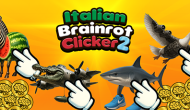
This is an independent play page. The game in the frame comes from Miniplay. The sneaker-wearing shark on the cover is an original fan illustration inspired by Tralalero Tralala, not a screenshot. Choose Play Italian Brainrot Clicker to replace it with the actual game. On a computer you can click with a mouse or trackpad; on a phone, tap directly on the game.
How to play Italian Brainrot
- Start with the character. Click or tap it and watch the score. The large character is the target; the upgrade area is where you spend what you earn.
- Read the upgrade before you buy it. Some changes reward active clicking; others help build the score without the same amount of manual input. Use the labels in the game to tell the difference.
- Watch for character unlocks. The roster gives you something to aim for besides a higher number. Keep playing and look for changes as you make progress.
- Choose a goal for your session. Try getting to one more upgrade or discovering one more character. You do not need to find an opponent or join a multiplayer lobby.
A simple way to choose your next upgrade
Decide whether you want to keep clicking for the next minute or let the score build with less input. For an active session, a stronger tap makes each press count for more. If you prefer to check back between bursts of clicking, pay more attention to upgrades that add automatic income. The useful comparison is what the upgrade does for your style of play, not just whether its price is the lowest in the shop.
If the upgrade you want is still out of reach, look at the gap between your current points and the price. A small gap may be worth closing with a few extra taps. A larger gap gives you time to consider whether an affordable upgrade would be more satisfying now. There is no need to decide on an entire upgrade order before you start: buy one, see the effect, and then make the next choice.
The meme behind the game
Italian Brainrot is the name given to a family of surreal internet memes built around improbable creatures and exaggerated names. The joke often comes from pairing things that have no business belonging together. Tralalero Tralala, for example, is associated with a shark in sneakers; Ballerina Cappuccina turns a cappuccino cup into the head of a ballerina. Seeing those combinations helps explain why the names sound like introductions to a cast rather than titles of separate games.
The loose meme roster is not the same thing as the game's unlock list. Fan lists can include characters that spread alongside the Italian-named ones, and variants use different spellings. If you are trying to identify a character from a clip, start with the visual clue — shark, cup or crocodile — and use the name as a second clue. If you are trying to find out what you can unlock here, treat the embedded game's own display as the source for this edition.
Clicker, character guide, or Roblox?
Those are three different things people mean by “Italian Brainrot.” The meme is the shared set of characters and jokes. The clicker is the game on this page: it puts the emphasis on tapping, earning and upgrading. Roblox experiences using similar names or characters are separate games, with their own controls and progress. A score or unlock in one is not a reason to expect it in the other.
If you are here because you saw a character in a short clip, you can start playing without knowing the whole roster. If you came looking for a particular Roblox mode, the clicker here will not open that experience. The label on the Play button tells you exactly which version this page loads.
Playing in the browser
The game only starts loading when you press Play. This keeps the page readable even if you are just here to find out what the meme is. Once the player opens, use the fullscreen button if your browser supports it and you want more space for the shop. To get back to the guide or comments, exit fullscreen first.
If the game does not appear, try reloading once before repeatedly pressing Play. You can also try the Miniplay listing linked above; if that works while the embedded frame does not, you can still play there. On a shared device or in a private window, do not count on the session carrying over. This site does not have an account or a separate game save to restore.
Browse the full character list
Two more things this site covers
A separate game also goes by the name Brainrot Clicker: our Brainrot Clicker guide explains how it plays and where to play it. If you came for the Roblox hit instead, the Steal a Brainrot guide explains how that game works and which of these characters appear in it.